Restaurant ordering, built for the floor.
A local-network ordering system for restaurants: phone-first waiter tablets, a dine-in floor plan, phone/delivery orders, kitchen printing, and a manager control center — with self-updating software so every install stays current automatically.
One person builds it, installs it, and answers the phone.
Or try the real ordering app — waiter view, floor plan, live menu → May take up to a minute to wake up. Prefer to see it in person? Book a free demo at your restaurant →
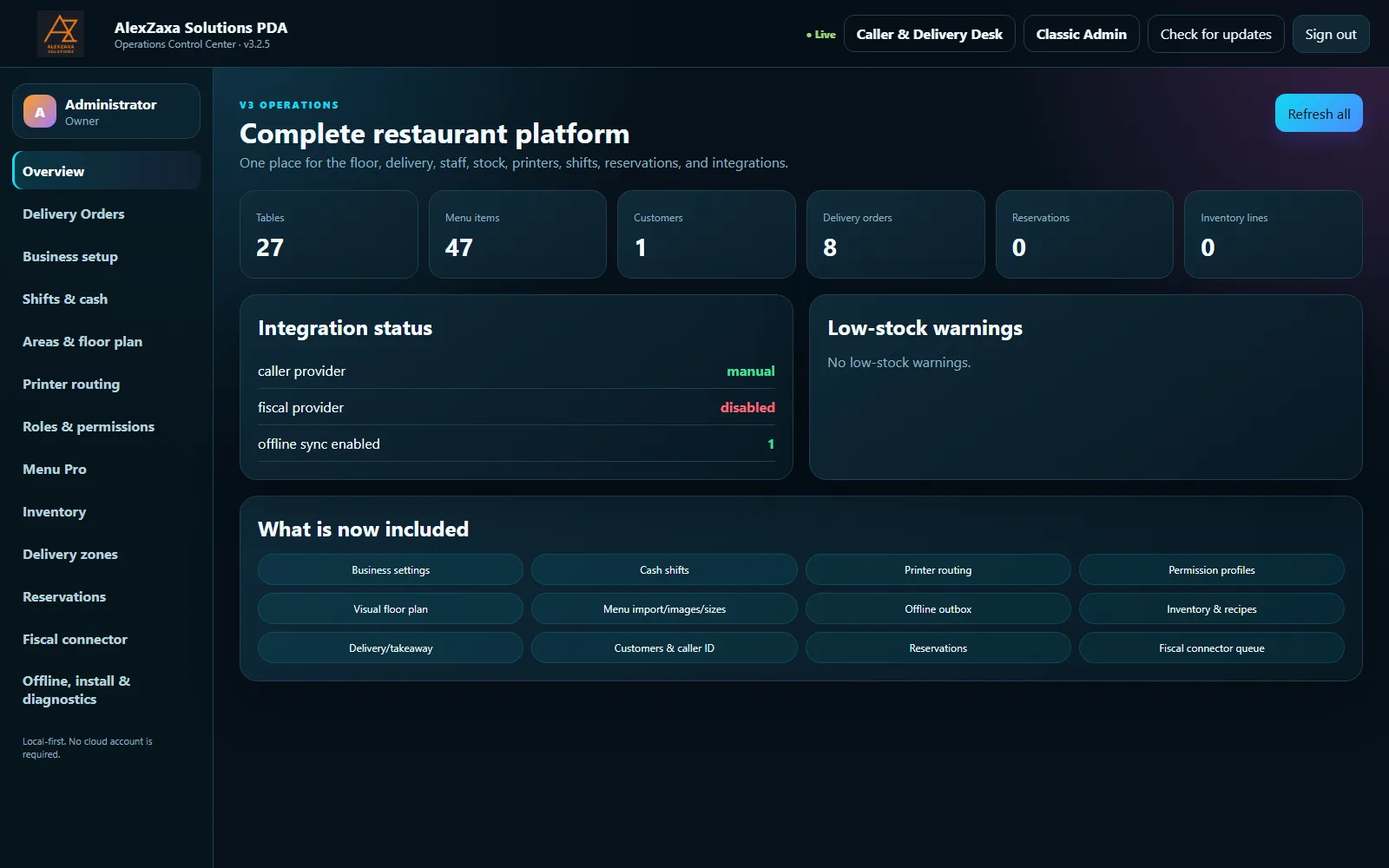
Built for the floor
Waiters take orders from any phone or tablet already on the restaurant's Wi-Fi — no dedicated hardware to buy for that part. Split bills, move tables, and merge orders in real time. The moment an order goes in, it's already printing at the kitchen or bar, in Greek if that's what your kitchen reads.
Try the real ordering app — log in with waiter / AlexZaxaDemo!26 →
Shared public demo, waiter-level access only — may take up to a minute to wake up, resets on redeploy.
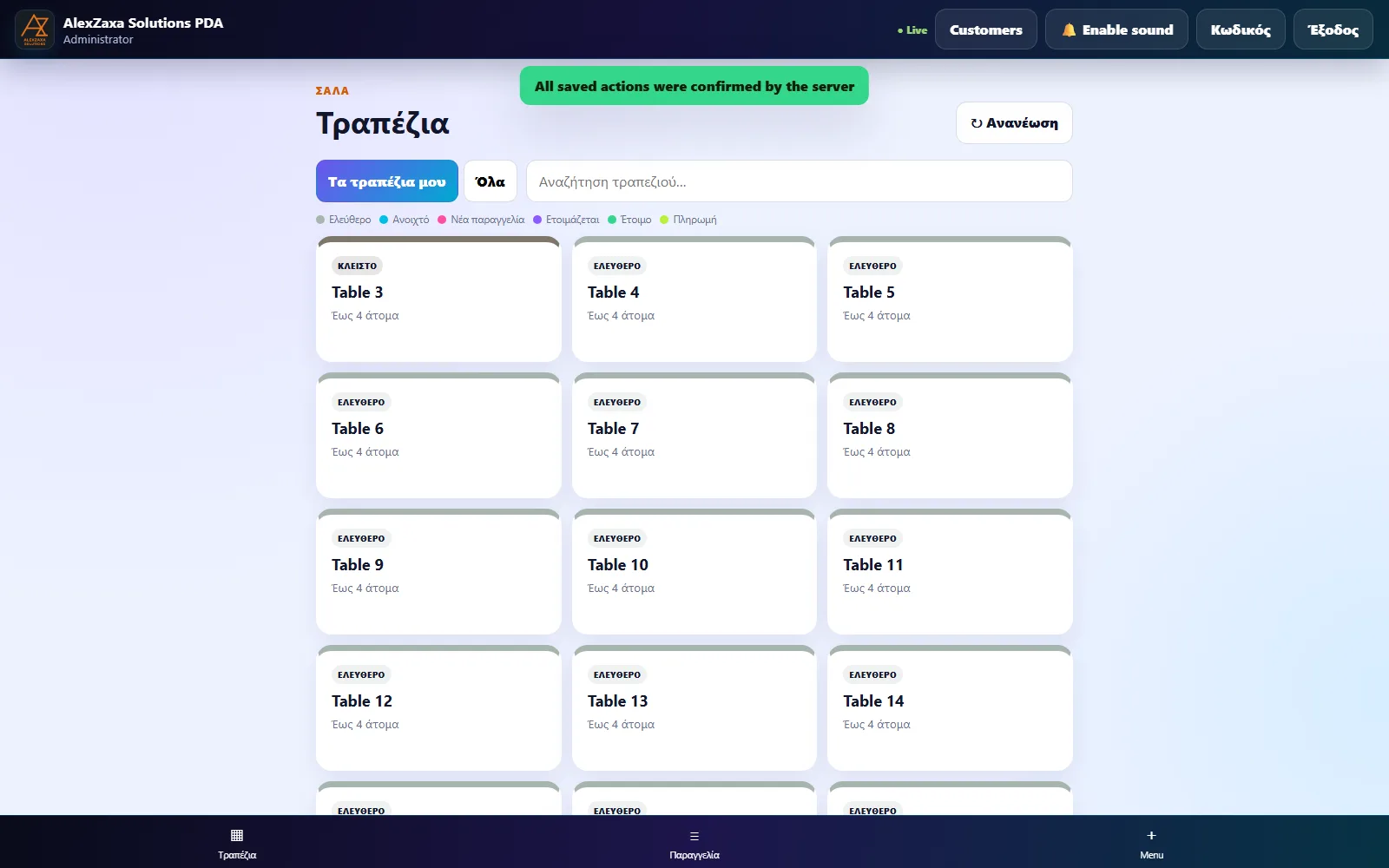
Delivery doesn't wait for a free table
Phone and delivery orders run through their own dedicated desk, completely separate from the floor — a call comes in, a courier's out the door, and none of it competes with what's happening at table 12. Customer history and delivery zones are remembered automatically.
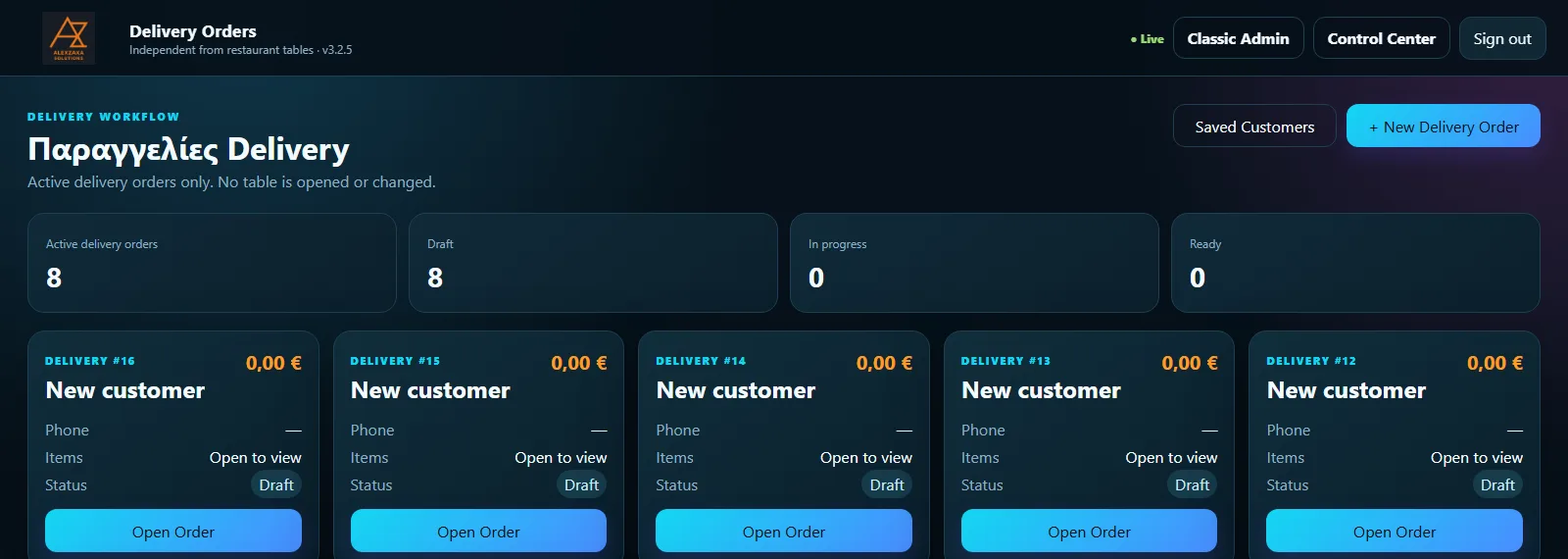
Always the current version, without a technician
Every install checks for new releases on its own and installs them with one manager click. No callout, no waiting for a visit. The same control center shows today's and this week's revenue at a glance, the moment you open it.
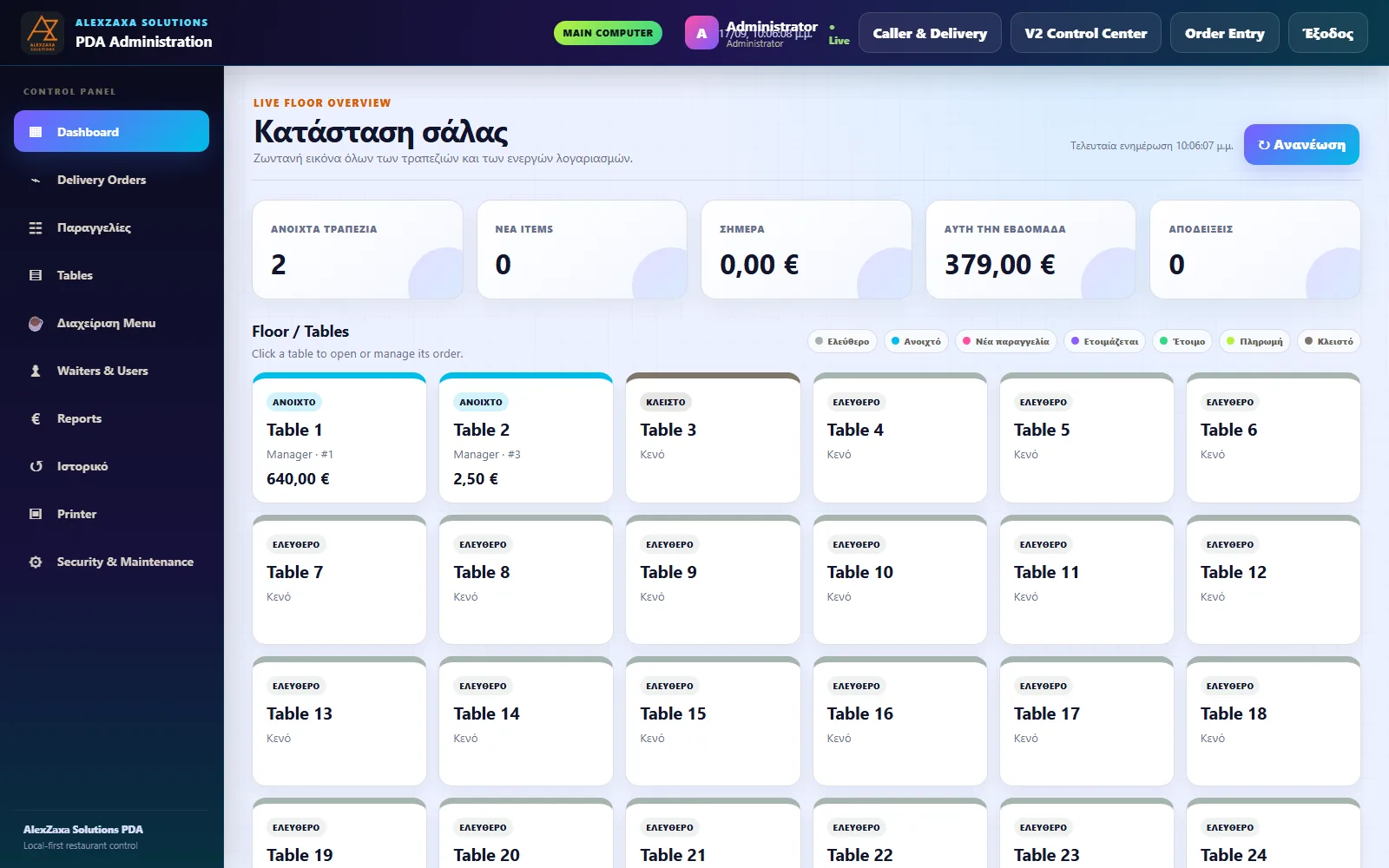
Why restaurants choose the PDA
No cloud dependency
Runs entirely on your restaurant's own local network. No internet outage takes your floor down.
No technician visits
Updates install themselves with one manager click — no callout, no downtime waiting for someone to show up.
Built for Greek restaurants
Greek-language receipts and kitchen printing out of the box, not bolted on as an afterthought.
Try before you commit
Explore a live demo dashboard with sample data — no signup, no sales call required first.
Pricing
Two ways to get started — own the software outright, or pay monthly with no upfront cost.
Buy the software
€2,600 (every 3 years)
Software license€2,600
Support, from month 2€300/mo
First month of support is free. Hardware (PC, screen, printer) isn't included — ask me if you'd like help sourcing it. Tax not included.
Pay monthly
€600 /month
Software + support€200/mo
Minimum term3 months
No upfront software cost. You provide your own PC, screen, and printer.
Not sure which fits your restaurant? Tell me in the form below and I'll help you decide.
How it works
-
1
Tell me about your restaurant
Fill in the form below with your store name and contact details — takes under a minute.
-
2
I set your store up
I create your store, walk you through installing the PDA on your restaurant's PC, and help you build your menu.
-
3
You're live
Your staff start taking orders right away, and you get a login for your own revenue dashboard.
Common questions
Does it work with myDATA, or alongside a cash register?
Need info The PDA handles orders, tables, delivery, and kitchen printing on your own network today. Whether — and how — it talks to myDATA, a ΦΗΜ, or your existing cash register depends on details I haven't published here yet. Ask me directly and I'll tell you exactly where things stand for your setup.
What hardware do I actually need?
Two different things, so this isn't a contradiction with the rest of the page: for waiters taking orders, any phone or tablet already on your Wi-Fi works — nothing extra to buy. For the back-of-house machine that runs the local server, prints to the kitchen, and shows the control center, you provide your own PC, a screen, and a receipt/kitchen printer. Need info exact specs, recommended printer models, and a rough cost range for that PC + screen + printer still need to be confirmed and added here.
What happens to my data if I stop paying?
Need info what happens to your install, and to your menu, customer, and sales history, if payment stops — and whether that data can be exported — still needs to be confirmed and added here. Ask me directly in the meantime.
What are your support hours?
Need info response times, weekend/late-night coverage, and what happens if I'm unreachable still need to be confirmed and added here. Ask me directly in the meantime.
If I buy the one-time license, does it keep working without ongoing support?
Need info whether the software keeps running if updates/support lapse, and exactly what the €300/month support includes, still needs to be confirmed and added here.
What does the 3-month minimum on the monthly plan mean?
The monthly plan (€200/month) has a minimum commitment of 3 months before you can cancel. Need info the exact cancellation process and notice period after that still need to be confirmed and added here. Full terms: Terms.
Can I talk to a restaurant that already uses it?
Yes — ask me and I'll put you in touch.
Already a customer?
If you run a store on AlexZaxa Solutions PDA, your revenue reporting is available on request — log in to view it if you've been given access.
Get started
New to AlexZaxa Solutions PDA? Tell me about your restaurant and I'll get in touch.